
A look inside Take the Body
Your team, beyond the draft.
See how a private PWHL dynasty league works, from planning tomorrow's lineup to following this week's matchup.
A screenshot walkthrough. These are real app screens populated with fictional league, team, player, schedule, and scoring data. The examples are illustrative; the screenshots are not interactive and do not show a real league.
01 · Your roster
A plan for every game day.
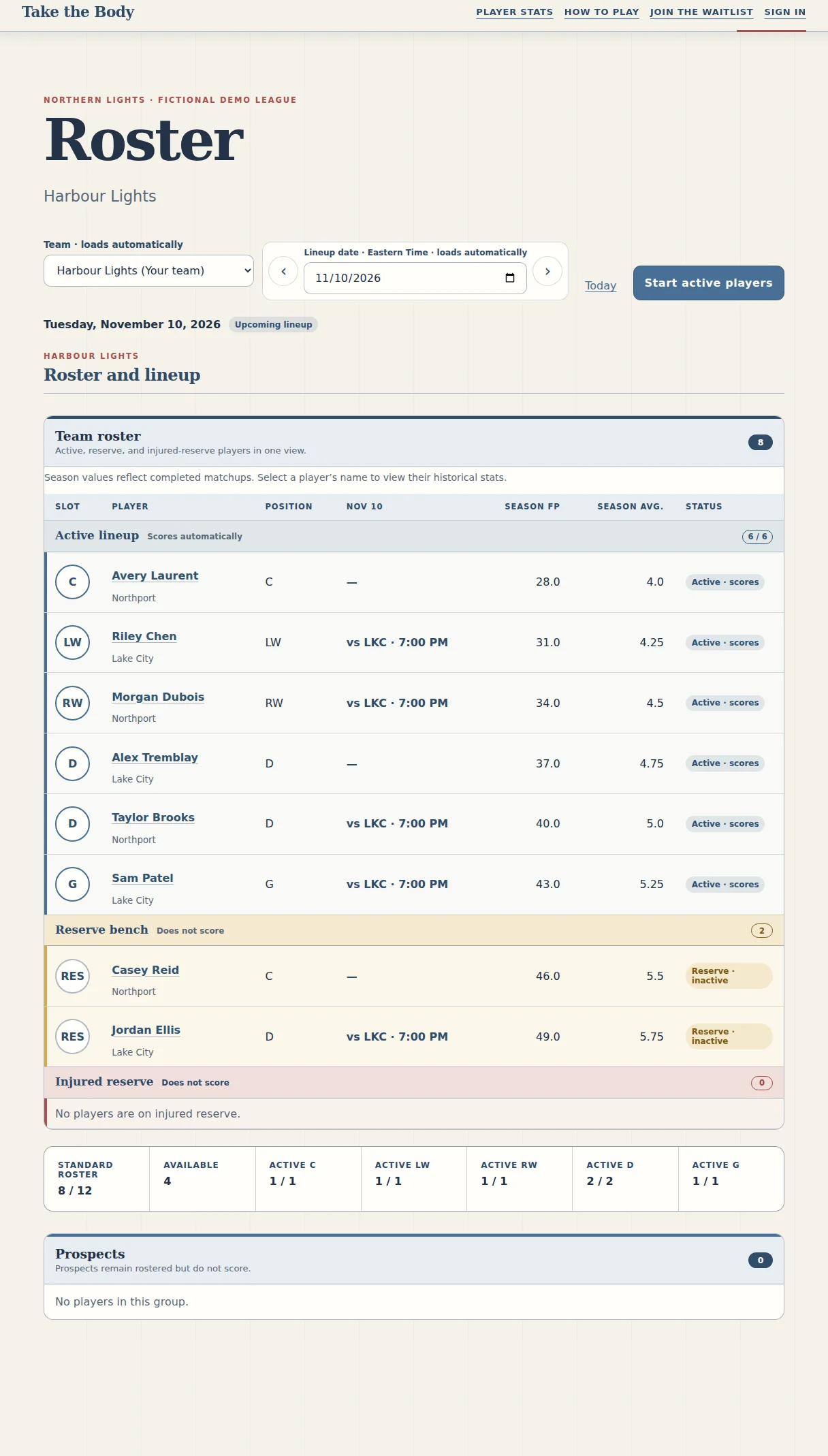
Use the date controls to review past rosters or adjust an upcoming lineup. Active slots score automatically; reserve players give you options when choosing your starters.
The team selector lets league members view other managers' rosters. Only your own team is editable, and past dates are read-only.
02 · Plan ahead
Set your starters. Get on with your week.
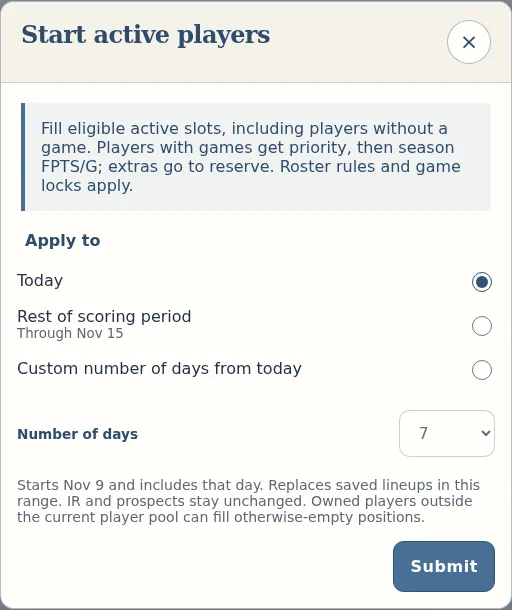
Start active players fills eligible slots for today, the rest of the scoring period, or a custom number of days. Players with games get priority, followed by this season's fantasy points per game under your league's scoring.
Players without games can fill remaining active slots; extras go to reserve. Roster rules and game locks still apply. Injured-reserve and prospect players stay in place.
Saved lineups take effect automatically on their dates. Review them after roster, schedule, or rule changes; they do not continually re-optimize. Running this again replaces saved lineups in the selected range.
03 · Weekly competition
See where the points came from.
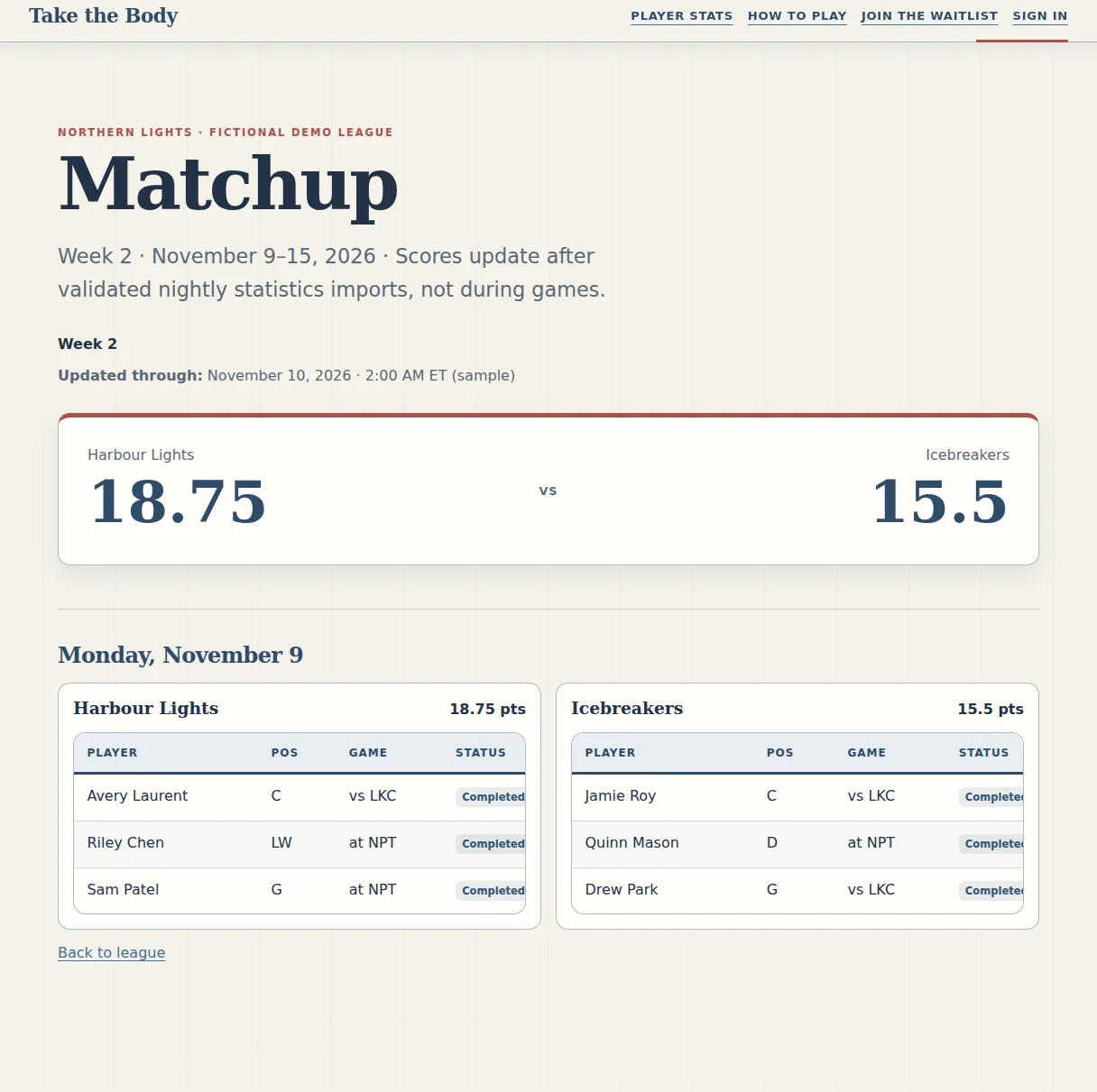
Weekly head-to-head matchups put your active lineup against another manager's. Daily breakdowns show each player's contribution to the score.
Scores update after validated nightly statistics imports. They are not live, and delayed or failed imports can delay updates. Commissioners configure the league's scoring weights.
04 · Player research
Look beyond one performance.
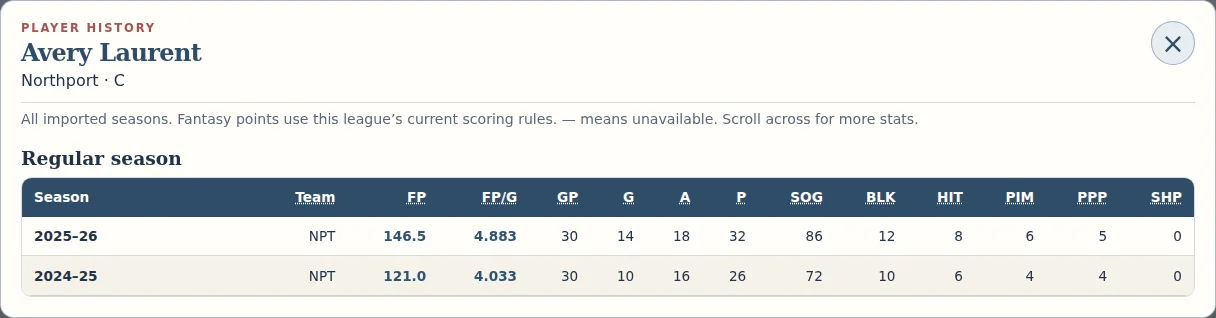
Select a player's name on Roster or Players to open their available historical season statistics. Fantasy points in the league's history table use its current scoring rules.
Regular seasons and playoffs are separated when available. Coverage varies by player and season; a dash means a retained value is unavailable.
You can also browse public PWHL player profiles without an account. Public profiles show historical hockey statistics, rather than private league fantasy scores.
Build a team worth keeping.
Take the Body is in private beta. New accounts require a league invitation. Join the waitlist for updates and invitations; signing up does not grant immediate account access.
Join the waitlistWant the full playbook? Read how to play, or explore dynasty rules and strategy.